Screenforge Director vs Storyship vs Valmera for product demo videos
Choose Screenforge Director if you need to capture a workflow and maintain related help content. Try Storyship if you want a narrated demo you can fine-tune from a browser take or an upload. Choose Valmera if you want to direct a public website capture and request a precise timing change in the same conversation, or edit footage you already have.
Valmera publishes this guide. The comparison draws on official product workflows checked November 26, 2026. The recordings below are from Valmera.
Run the same buying testChoose the demo workflow you actually have time to maintain
| Job | Screenforge Director | Storyship | Valmera |
|---|---|---|---|
| Record a public browser flow | Give Director a URL and a task. It records actions in a live browser and adds zooms, narration and captions. | Use Cloud Agent with a URL and goal. It prepares an editable draft from the actions and evidence it captures. | Give the recorder a public URL and named steps. Review the capture and recorded clicks before directing the edit. |
| Show work behind a login | Set up a product environment with a test login. Director documents signing in before the recording begins. | Join the demo workspace in your own browser, then use the Chrome extension on that product tab. | Record in your demo workspace with sample data, then upload the video and describe the edit. |
| Update one spoken line | Check the narration transcript against the recorded result. Ask whether your planned change can be made on the delivered take. | Edit the narration and update the generated voiceover. Replay the result after the audio update. | Direct the revision against the approved preview. Provide replacement voiceover when the revised text needs new audio. |
| Deliver the video and keep it current | Director documents a link and transcript. Its Product Graph can flag related guides after a flow changes. Confirm the format and editable files your team can retain. | Download the MP4 after previewing the changes. Refresh the footage when the interface in the approved video is out of date. | Review and download the MP4. Keep the original take, action notes and approved edit for the next change. |
Screenforge’s demo workflow, Screenforge’s Product Graph overview and Storyship’s capture, revision and export guide.
A finished file can still miss the most important step
Valmera’s first capture of its own docs returned a 13-second MP4 with zero recorded clicks. The requested Captions link matched a hidden menu before the visible desktop sidebar. The successful take targeted the sidebar and logged a click at 3.57 seconds. The Captions heading was visible by 4.00 seconds.
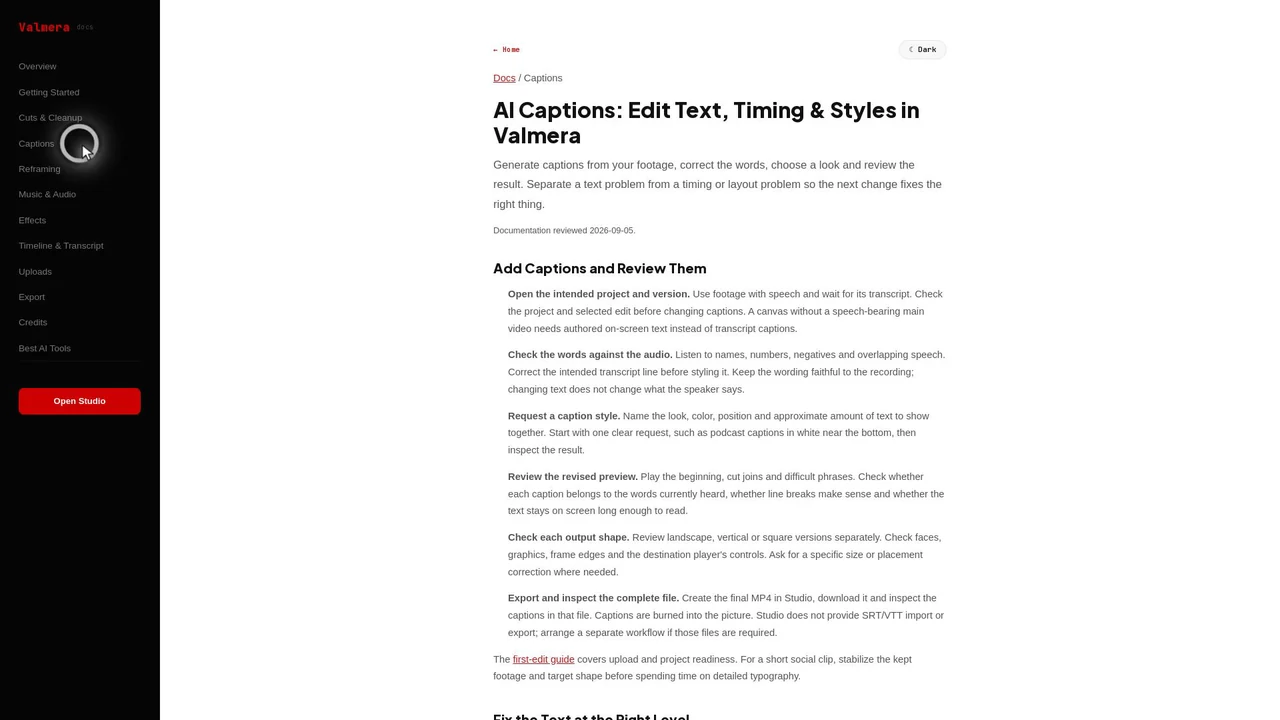
Watch the capture with the skipped click · Watch the successful capture · Read the capture log
For a different recorded workflow with a click zoom and a finished export, watch Valmera’s exported product demo and read its edit log.
Run a capture and a closing-hold revision
Record a landscape walkthrough of https://valmera.io/docs/getting-started for someone looking up automatic captions. Start at the top. Click the visible Captions link in the desktop documentation sidebar. Keep the pointer moving to the link in frame. End on the Captions heading and hold for two seconds. Make a silent 16:9 MP4 preview and give me the source times for the click and first readable result.
In the approved take, extend only the hold on the Captions heading from two to four seconds. Reuse the existing recording and keep the opening, click, crop and text as approved. Show the revised preview and the new end time before export.
- Watch the first downloaded file muted. Mark the pointer at the target, the readable heading and the end of the hold.
- Apply the second request. Compare the opening and the click with the first file. Record whether you reused the take, had to recapture the page, or needed another editor.
- For a narrated deliverable, play both files with sound. Confirm the spoken instruction and captions still describe the action at the right time.
- Keep the two downloads and record human review minutes and direct cost. For a recurring workflow, list the help article or sales page that also needs updating.
Hand over one release before committing to monthly volume
Send one recording, the key action and result, and the date it needs to go live. Include the number of demos, social cutdowns and UI refreshes you need per month so the pilot exercises the handoff your team will actually use.
Ask for a recurring demo editing quote